MailShield Guardian
AI Fraud & Scam Protection
Suspicious letter in your mailbox? Sketchy text? Robocall? Phishing email? Snap a photo or paste the message — MailShield runs it against a community-built scam fingerprint engine and tells you, in plain English, whether it looks safe, suspicious, or likely a scam.
Protection network
Real counts from the MailShield Guardian network, loaded when you opened this page.
Scan anything. Get a verdict in plain English.
Real screens from the live app — including the community intelligence banner: when others have already reported the same threat, your verdict says so.
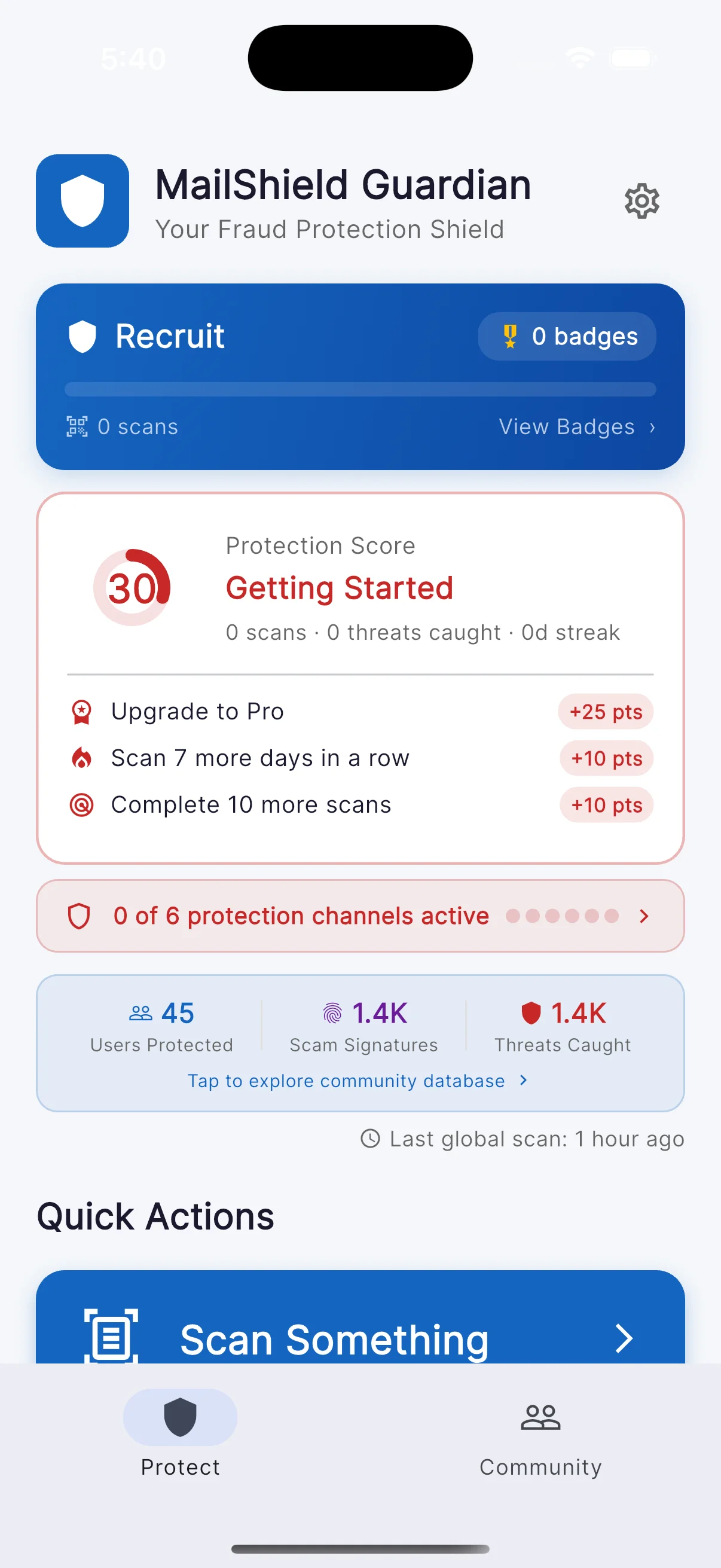
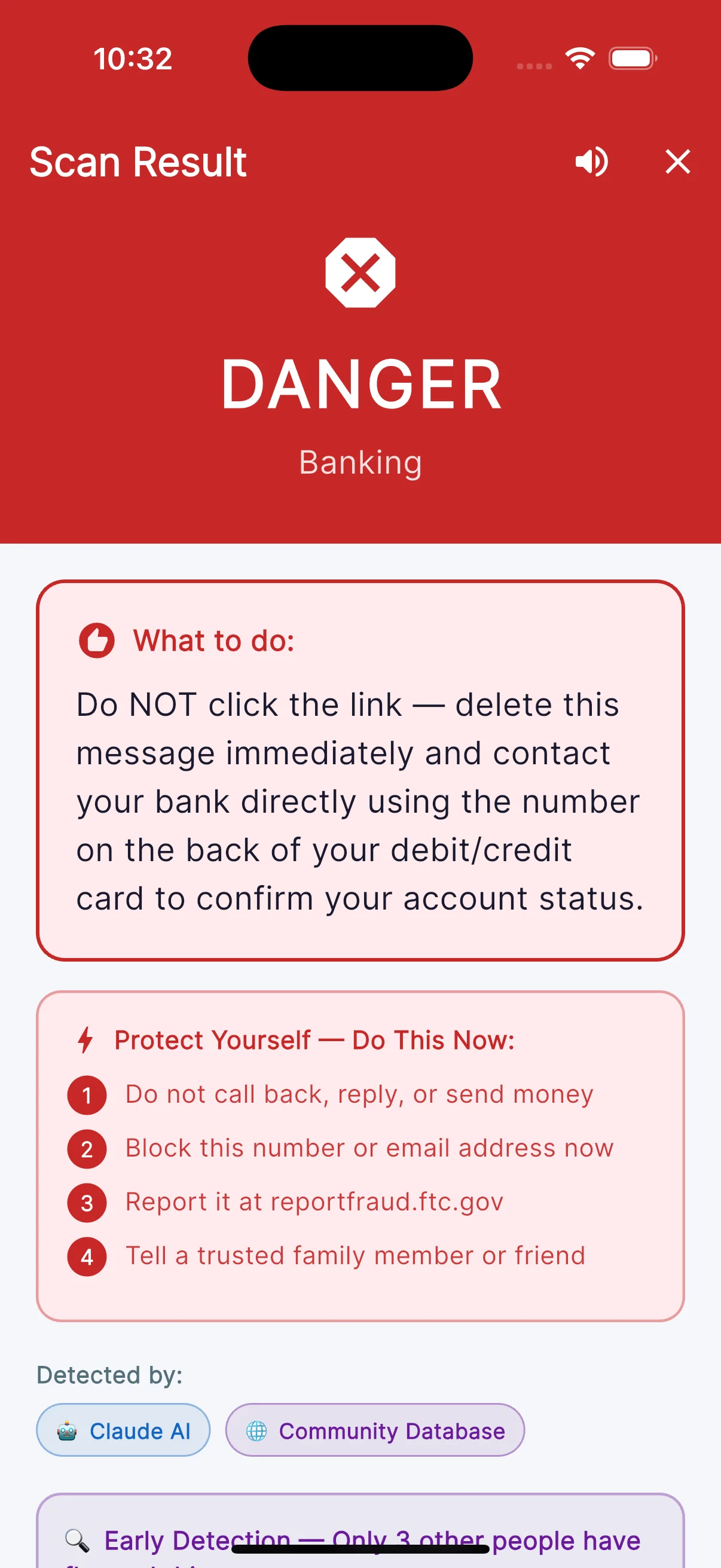
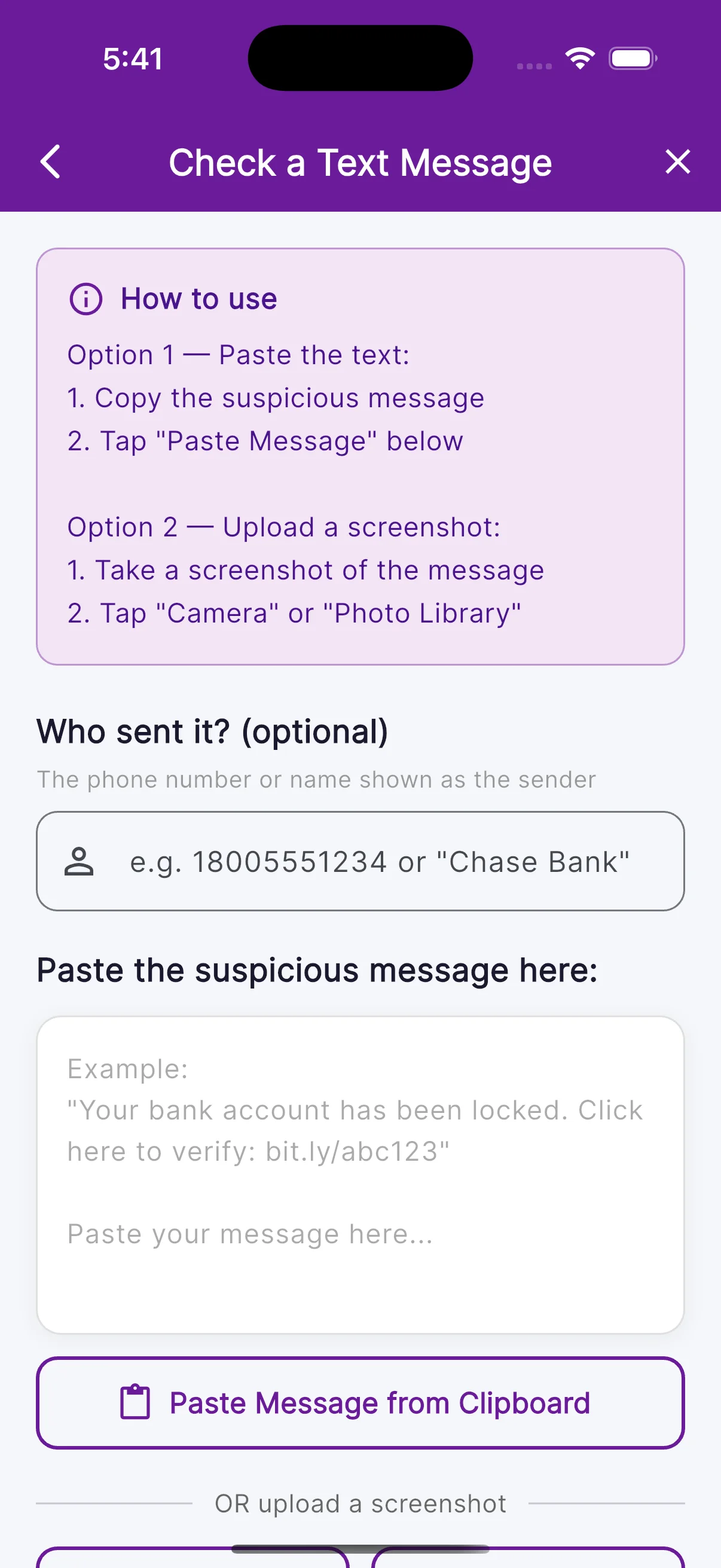
Every channel scammers use to reach you.
Physical mail
Photograph the envelope or letter. AI extracts the text and checks for IRS-impersonation, fake medical bills, sweepstakes scams, and more.
Texts + emails
Paste any suspicious message. Get a verdict on phishing patterns, urgency tricks, malicious links, and known scam fingerprints.
Phone numbers
Check unknown callers. Cross-referenced against community-reported scam numbers and pattern analysis.
Every scan grows the shield.
MailShield isn't pulling scam data from a static list — it's building one with every user. Each scan extracts a fingerprint (a phone number, sender pattern, URL, or claim signature) and joins the collective. The next person who encounters that fingerprint gets a verdict in seconds.
You scan
A suspicious text, robocall number, or impersonation letter. Claude analyzes it, and the verdict comes back.
Fingerprint extracted
The scammable signature — phone, URL, sender pattern, claim DNA — is stored in the collective.
Next user shielded
Someone receives the same scam tomorrow. Their app cross-checks the collective and returns a fast, confident "Scam" — without ever knowing it was your scan that taught it.
Generous free tier. Pro unlocks always-on protection.
Free
- Unlimited scans, every channel
- AI analysis (Haiku → Sonnet escalation on text/email/SMS)
- Voicemail Scanner, QR codes, payment links
- Community scam database + Regional Scam Feed
- Defender Badges + Fraud Resilience Score
- Senior Mode, Trusted Contacts, Recovery Wizard
- CallKit blocking + Scam Radar map (map tiles broken in builds before 198 — fix built, rolling out)
- No ads, anonymous sign-in
Pro
- Everything in Free, plus:
- Auto-Protect — background monitoring of Gmail, Outlook, IMAP, SMS & calls
- Batch scanning — up to 5 messages at once
- Unlimited scan history (vs last 3 on Free)
- Sonnet AI directly on physical-mail scans
- 7-day free trial
Family
- Everything in Pro, plus:
- Family Dashboard — see what your family scans, get alerted on threats they hit
- Up to 5 members via Apple Family Sharing
- Real-time alerts when a family member flags a scam
Prices shown are US tier. Other regions vary — exact pricing displayed at checkout via Apple / Google.
No MailShield account needed.
Anonymous sign-in. No MailShield account or password needed to use the app. A short, encrypted excerpt of the content you scan is saved to your private scan history so you can review past results, and is deleted when you delete your account.